Back

AI Product Design - UX Research - Interaction Design

PlantPal turns fragmented plant care into one focused AI ecosystem.

A working plant-care web app that combines AI identification, automated care schedules, and a personal plant journal into one flow.

Role
Product Designer
Scope
Research, UX, UI, AI Flow
Team
Individual Project
Tools
Figma, Gemini API, Framer
Timeline
8 Weeks

Overview

The Context

People buy plants because they want their homes to feel more alive, natural, and personal. But care quickly becomes a repeating cycle: they get busy, forget watering or light needs, watch plants decline, then buy another plant and start over.

PlantPal breaks that loop by turning identification, reminders, and growth tracking into one care system that supports motivation after the purchase moment fades.


What I Did

I conducted generative research with 6 plant enthusiasts to uncover the "tool fatigue" phenomenon. I designed a streamlined UX that consolidated 3 separate use-cases into one app.

Going beyond static mockups, I independently integrated the Gemini API to power a real identification flow, including error-recovery mechanics for AI uncertainty.

Problem

People want healthy plants, but busy routines make care easy to forget and hard to sustain.

Research

Plant care
isn’t difficult.
It’s fragmented.

Plant owners rely on multiple disconnected tools for everyday care.

Search Reminders Notes Calendar
Everyday care
is scattered
across disconnected
tools.
$17B Indoor Plant Market

The market is large, but care support remains fragmented.

7 in 10 Plant Parents

Millennials identify as plant parents, turning care into a lifestyle habit.

67% Plants Die Early

Many houseplants die within the first few months.

18 Participants

6 interviews
12 survey responses

What We Heard

Student participant portrait
Student
"I never know when to water."
Office worker participant portrait
Office Worker
"I use Notes, Google, and reminders."
Beginner participant portrait
Beginner
"I forgot what plant this is."
Q1 What's your biggest challenge when caring for plants?
What's your biggest challenge when caring for plants?Me
I like having plants at home, but I get busy and forget until the leaves start looking bad.Sarah, Marketing Manager, 28
I want my plants to thrive, but the care habits are hard to maintain once the excitement of buying them fades.Alex, Graduate Student, 24
How do you currently manage plant care tasks?Me
I set random alarms like "Plant 1" and "Plant 2," then ignore them when work gets busy.Sarah, Marketing Manager, 28
I take notes and photos, but there is no simple loop that keeps me motivated to check back in.Alex, Graduate Student, 24
Where does the process break down most often?Me
I buy plants to make my apartment feel nicer, then forget the care routine and end up replacing them.Sarah, Marketing Manager, 28
When a plant declines, I usually realize too late. I need earlier nudges and visible progress.Alex, Graduate Student, 24

Persona

Two personas were synthesized from repeated research patterns.

They are not standalone characters; they summarize the behaviors that appeared across interviews: motivated plant owners who still forget care routines, lose plant context, and need clearer follow-through.

Alex and Sarah illustrated user personas

Alex

Graduate Student, 24

  • Owns 15+ plants at home
  • Loves collecting rare species
  • Documents growth with photos
  • Needs motivation to keep long-term care consistent
"I love collecting plants, but keeping up with each one's care needs becomes overwhelming."

Sarah

Marketing Manager, 28

  • Works 50+ hours per week
  • Wants her apartment to feel more alive
  • Has killed 3 plants in 6 months
  • Struggles to remember watering schedules
"I love the idea of plants, but I just can't keep them alive with my schedule."

Pain Points

The story was a care cycle: desire, forgetfulness, plant decline, then replacement.

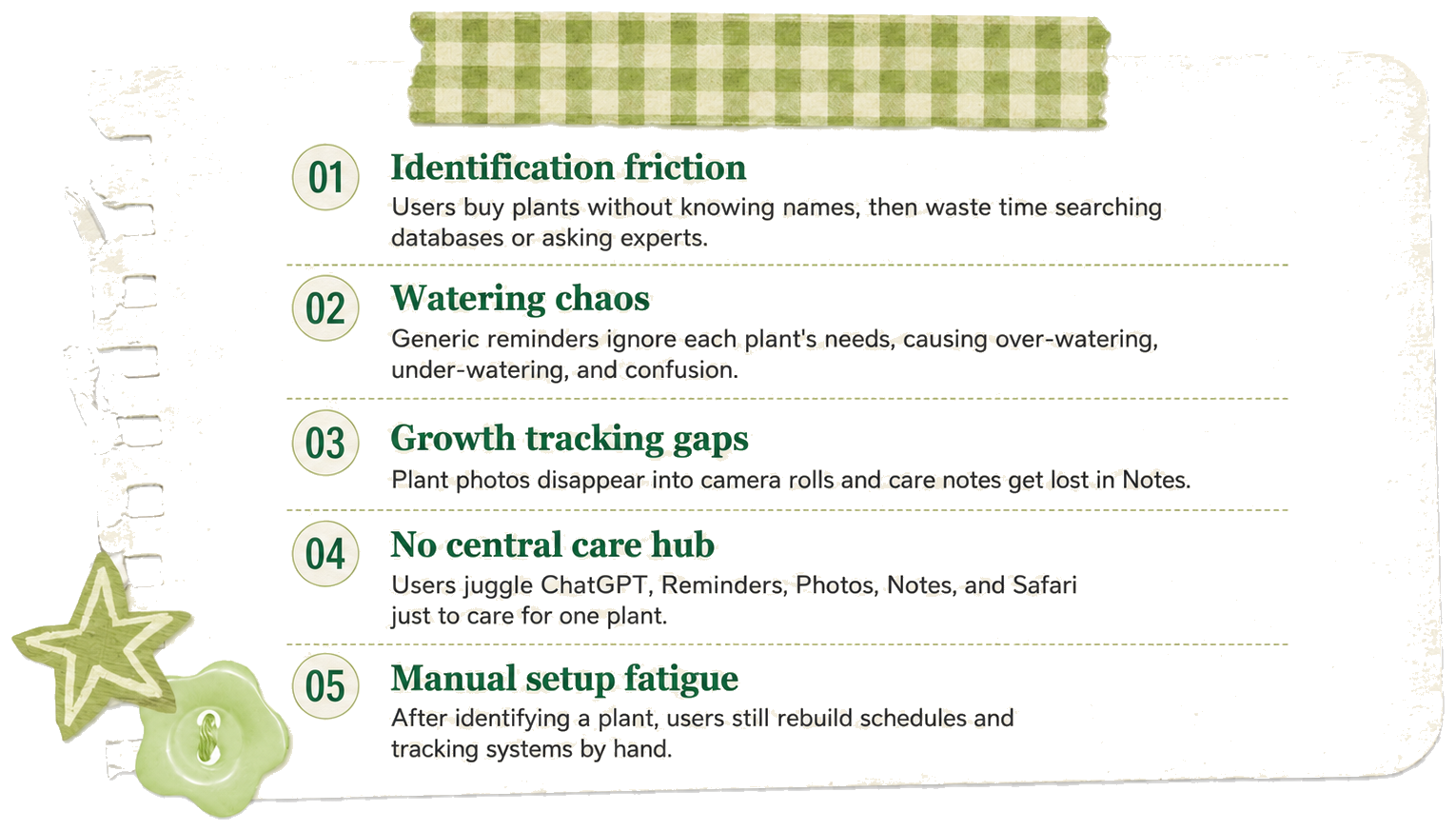
Five PlantPal pain points: identification friction, watering chaos, growth tracking gaps, no central care hub, and manual setup fatigue

The Root Cause

Extreme tool fragmentation.

Users were not lacking motivation. They lacked one connected system that could move from plant identification to care guidance, reminders, and growth records.

AI Identification Smart Reminders Growth Journal

Design Goal

Design and build a mobile-first AI care workflow, not just another chatbot.

ChatGPT can answer a plant question, but it does not manage the full care loop. PlantPal uses AI identification as the entry point, then turns the result into reminders, plant management, and growth records in one workflow.

The product is mobile-first because the core behaviors happen on a phone: users photograph plants, receive care reminders, check daily tasks, and update journals while standing next to the plant.

AI-powered Care Flow

Identification becomes the trigger.

  • AI identifies the plant from a mobile photo.
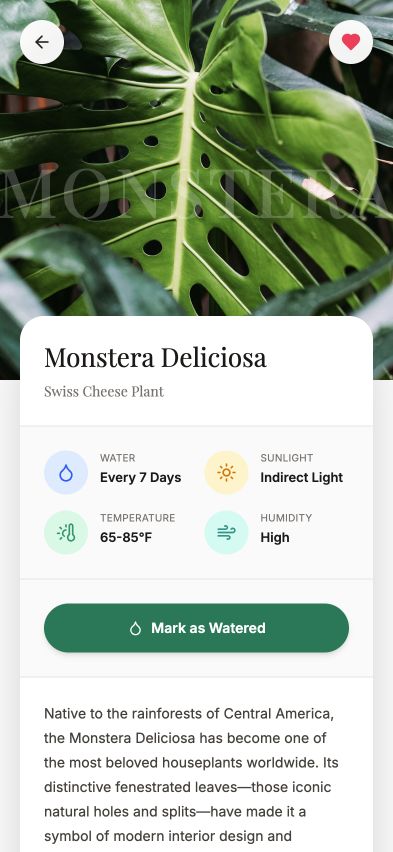
  • The app translates identification into a care schedule.
  • Reminders, garden management, and journal records keep the workflow active after the scan.
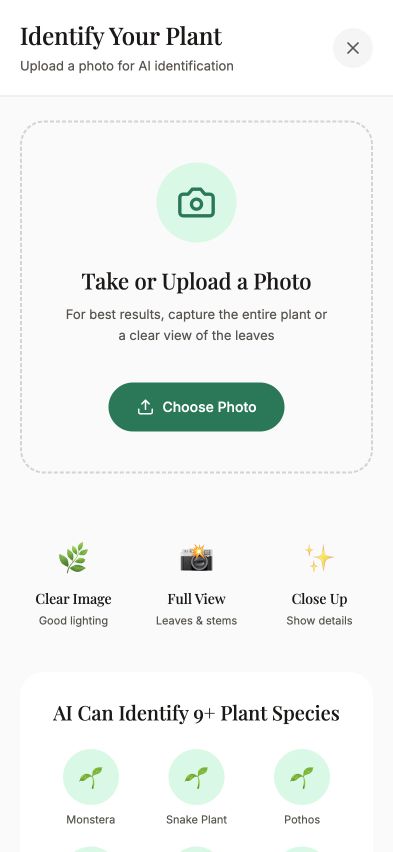
PlantPal identify screen 01 Take photo
PlantPal AI identification result screen 02 Identify
PlantPal care schedule screen 03 Schedule
PlantPal garden dashboard screen 04 Manage

Before

Manual care setup

Search Google Compare images Read care guide Record manually
  • Multiple apps
  • Manual work
  • High cognitive load

After

One connected flow

Photo Gemini Care plan Garden
  • One photo
  • One workflow
  • Zero manual setup

Designing for AI Uncertainty

Confidence decides the next step.

Gemini recognition averaged around 70%, so the interface needed to support success and recovery instead of pretending every scan was perfect.

Recognition Accuracy ≈0%

85%

65%

42%

Photo Gemini
Confidence > 80% Auto-create schedule
Low confidence Ask user to rescan

Design Exploration & Iteration

The most important design decision was how to simplify the product around care.

The Initial Concept

An All-in-One Platform

In my first iteration, PlantPal included four main features: AI Identification, Care Reminders, Growth Journal, and Shop.

The logic seemed sound: If users need help caring for plants, they must need supplies too. Why not let them buy soil, fertilizer, and pots directly in the app?

Version 1.0 with Shop

Scan - Schedule - Shop - Journal

Four tabs competing for attention, with Shop diluting the core value proposition.

Refocused Version

Scan - Schedule - Journal

Clean, focused navigation that reinforces the core workflow: Scan to Schedule to Track.

Prototype Before Testing

Scan - Schedule - Shop - Journal

Before testing, I built the first interactive version with Shop included. This made the product testable as a real navigation decision, not just a theoretical feature list.

Scan Schedule Shop Journal

The prototype showed whether users naturally treated Shop as part of the care workflow or as a distraction from it.

In Their Words

Six interviews made one thing clear: users wanted plant care support, not a shop.

To understand whether Shop really belonged in PlantPal, I interviewed 6 users aged 20-25 and observed 5 participants during usability testing. Across both interviews and behavior, the pattern was consistent: people came to PlantPal for plant care, identification, and reminders, not to purchase supplies.

Think

  • I can already buy plant supplies anywhere.
  • I mostly need help knowing what my plant needs.
  • Shopping is not the reason I open this app.
  • A shop tab feels extra.

Do

  • Skip the Shop tab
  • Use Amazon, Target, or local nurseries
  • Open the app for identification and reminders
  • Compare products elsewhere

Feel

  • Focused on care, not shopping
  • Uninterested in in-app purchasing
  • Slightly overwhelmed by extra features
  • More confident when the app stays simple

Say

  • "I'd just buy this on Amazon."
  • "I already have local places to shop."
  • "I want care help more than a store."
  • "The app should help me care for plants, not sell to me."
"I downloaded this kind of app to figure out what's wrong with my plant. If I need supplies, I already know where to buy them."
Jia Chen portrait

Jia Chen22 - Graduate Student
Student / Beginner Plant Owner

"The Shop tab feels extra. I'd probably ignore it and go straight to care tips or reminders."
Yuki Sato portrait

Yuki Sato24 - Marketing Coordinator
Working Professional / Plant Hobbyist

"I already use Amazon or my local nursery. An in-app shop doesn't really add value for me."
Marcus Reed portrait

Marcus Reed23 - IT Support Specialist
Working Professional / Plant Newbie

"I like browsing plants in person, so I wouldn't buy from the app. I just want reliable care advice."
Linh Nguyen portrait

Linh Nguyen25 - Product Design Student
Student / Plant Enthusiast

"If I saw a Shop page, I'd assume it was trying to sell me something. I'm here for plant care, not shopping."
Ethan Brooks portrait

Ethan Brooks24 - Elementary School Teacher
Working Professional / Indoor Plant Owner

"The care tools are the reason I'd keep using PlantPal. Shop makes the experience feel less focused."
Anaya Patel portrait

Anaya Patel24 - Data Analyst
Working Professional / Balcony Gardener

What We Learned

The research pointed to one direction: reduce distraction and refocus the experience.

01 x Signal

Low engagement

Across 5 usability tests, 0 participants clicked Shop as a key action during their core task flow.

02 x Signal

Existing purchasing habits

100% of participants already relied on Amazon, Target, or local nurseries for plant supplies.

03 x Signal

Misaligned with user goals

Users consistently prioritized diagnosis, reminders, and care guidance over commerce features.

04

Decision Made

Refocus Experience - Strengthen the care loop

Plant Care Identification Reminders

Based on both interviews and usability testing, I moved away from the Shop direction so PlantPal could feel more focused, more useful, and more aligned with what users actually came to the app for.

This insight directly informed the final navigation: a tighter care loop around scanning, scheduling, and journaling.

Build Evidence

The project moved from full Figma system design into a working data-backed prototype.

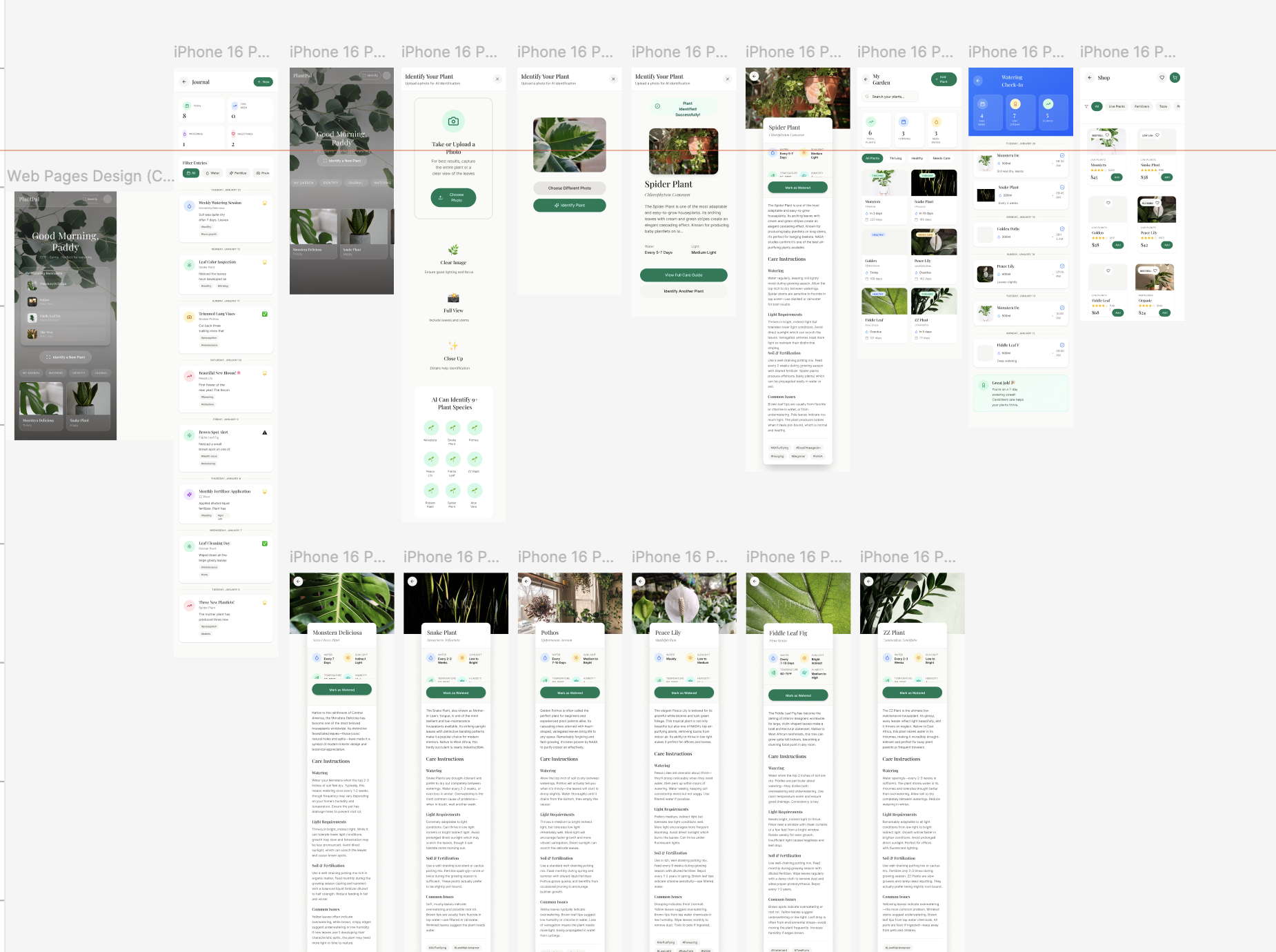
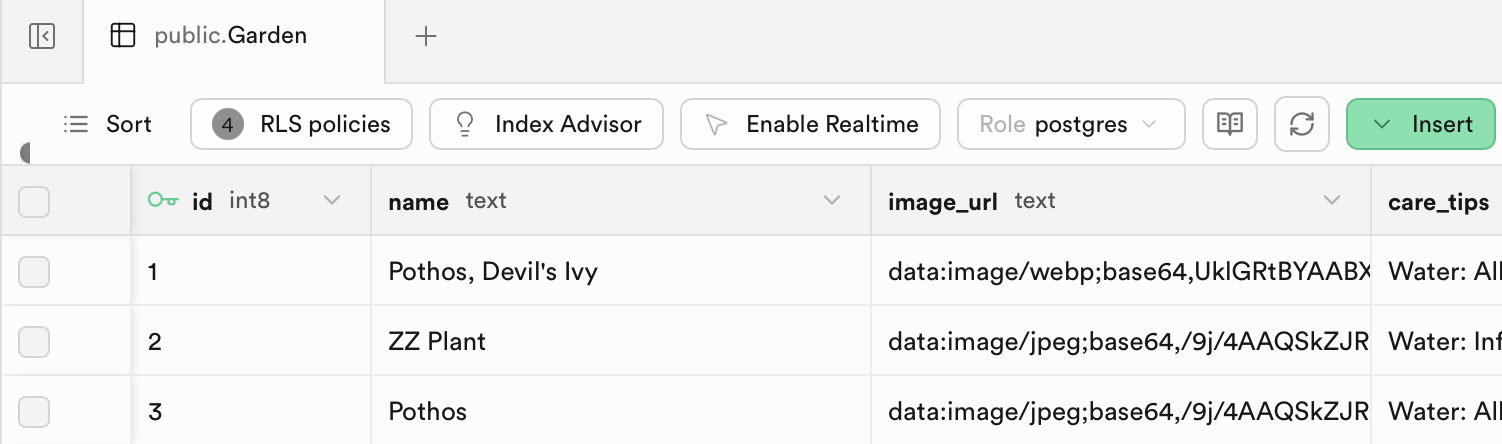
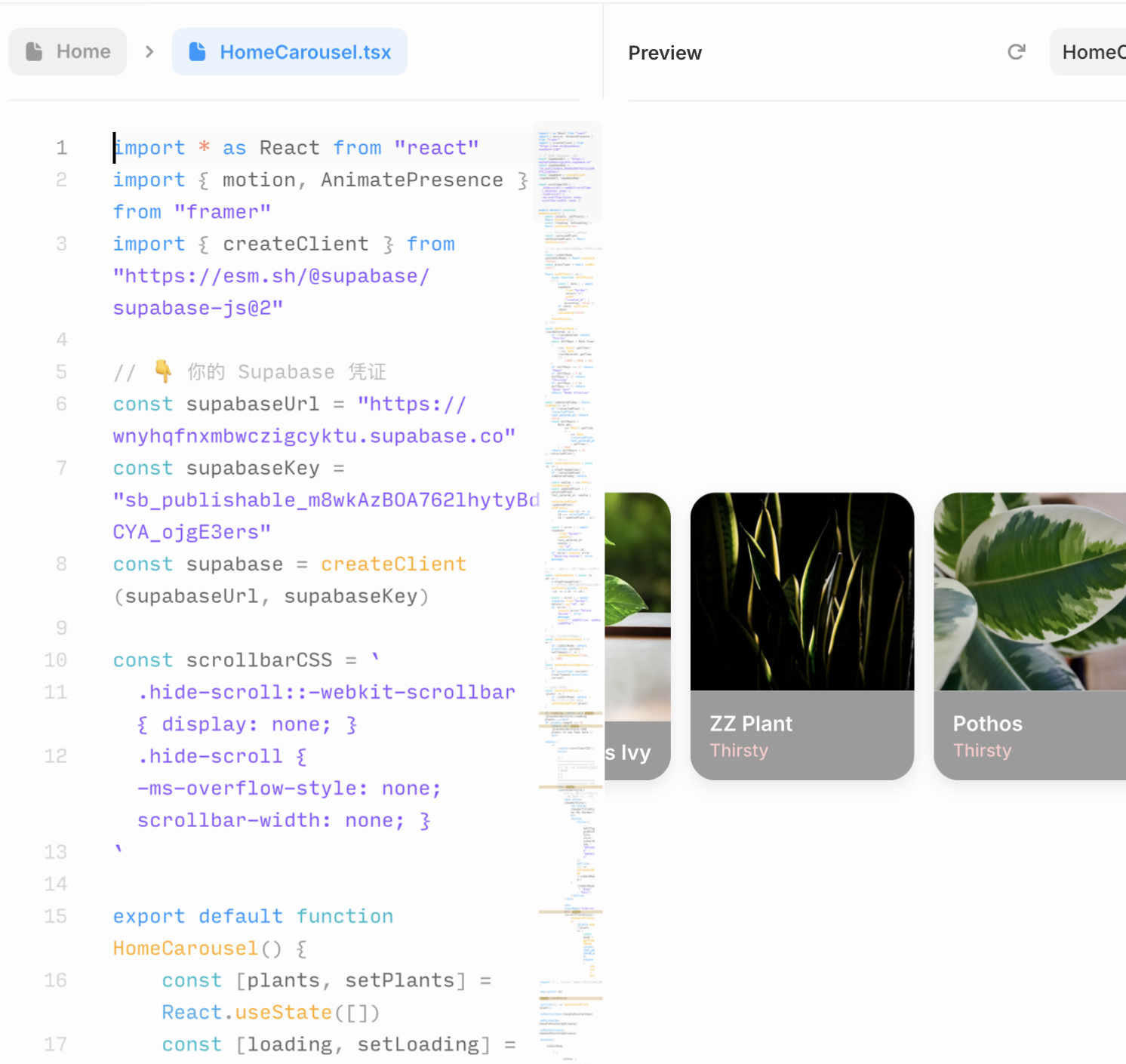
I used Figma to map the complete product system, Supabase to structure real plant data, and the live prototype to test the core care flows.

PlantPal complete Figma mobile screen system

01 x Figma System

Complete mobile product map

Full-screen design exploration across home, identification, garden, watering, shop, journal, and plant detail pages.

Supabase Garden table used for PlantPal plant data

02 x Supabase

Data-backed plant library

The Garden table stores plant names, image URLs, care tips, and backend records, proving the prototype is not only static UI.

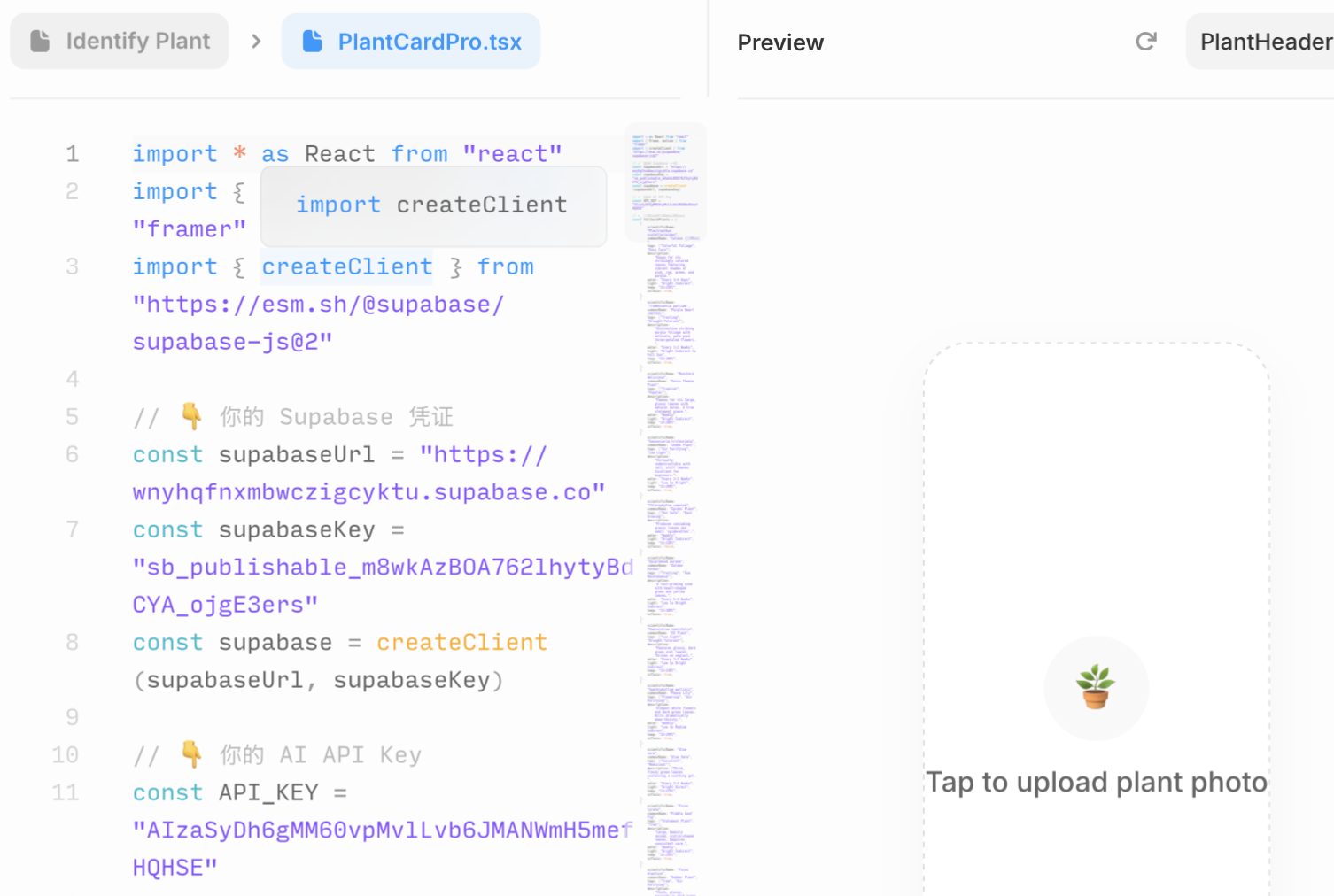
PlantPal early app map and code-backed screen exploration

03 x Early App Map

Prototype structure and API setup

Early working files show how the app structure, plant identification screen, and backend connection were mapped before visual refinement.

PlantPal interaction draft and live interface work

04 x Interaction Draft

Functional screen iteration

Interaction drafts connected implementation decisions with interface behavior, keeping the product usable beyond static mockups.

Feature Demo

The final product centers on four connected care moments.

This section shows the user-facing experience, separate from the work trace above: daily status, AI identification, plant collection, and growth journaling.

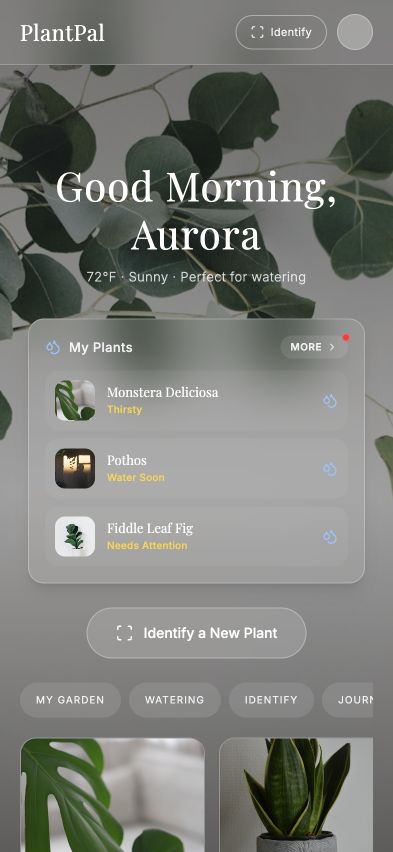
01 x Home

Dashboard to identification

The home page turns daily plant status into a direct entry point for identifying a new plant.

02 x Identify

AI identification entry

Users can start with a photo upload flow designed around clear scanning guidance and recovery cues.

03 x Garden

Scannable collection view

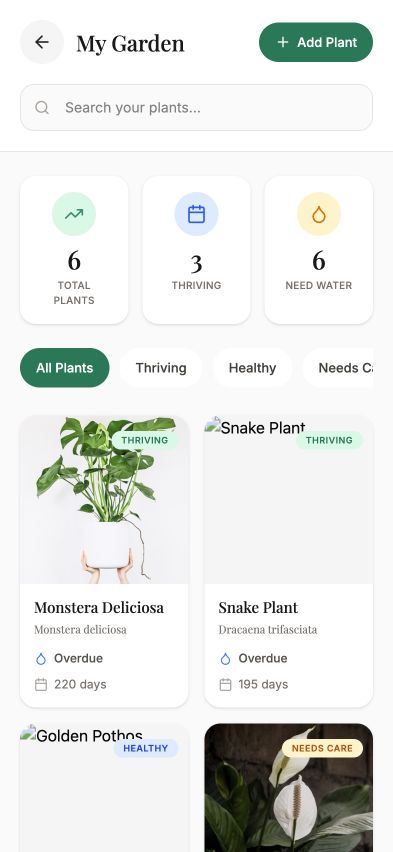
Garden cards make plant health, water status, and detail access visible without heavy navigation.

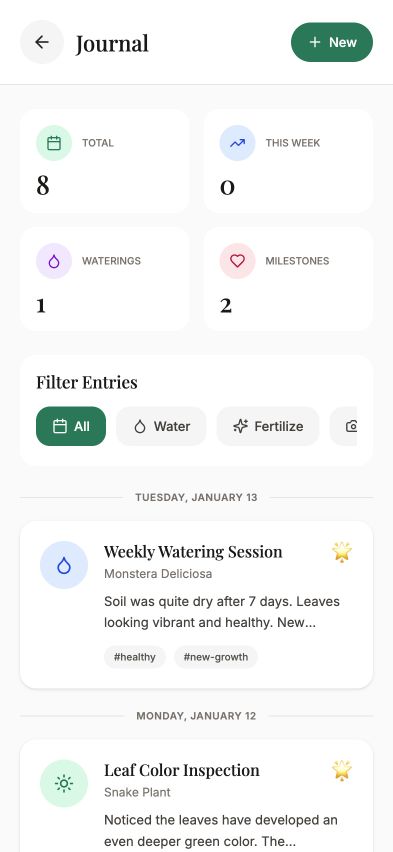
04 x Journal

Growth journal to context

The journal keeps care notes and milestones connected to the plant detail experience.

PlantPal home dashboard screen
PlantPal identify upload screen
PlantPal garden overview screen
PlantPal journal interaction preview

Final Solution

The final system connects one action to the next.

PlantPal is structured as a single care loop. Identification is not an isolated feature: it becomes the trigger for scheduling, daily action, and long-term growth records.

01

Identify

AI recognition creates the plant profile.

02

Generate Care

Care needs turn into a clear schedule.

03

Act Daily

Dashboard tasks reduce memory load.

04

Record Growth

Journal entries make progress visible.

Impact & Takeaways

PlantPal became a clearer, leaner product after testing.

The final direction is not another feature-heavy plant app. It is a connected care system where identification, reminders, and growth records support one core behavior.

Task Success 0%

Users completed the identify-to-care workflow without assistance.

Ease of Use 0/5

The focused final flow rated highly after reducing shopping-related distraction.

Recognition

Instructor commendation for execution quality and product focus.

Product Focus

Reducing distraction made the app feel intentional.

Testing showed that users came to PlantPal for care support, not purchasing. The final system narrowed the experience around scan, schedule, and journal.

AI UX

Trust came from showing uncertainty clearly.

Building with a real AI flow pushed the design beyond polished mockups. Confidence states, fallback paths, and fast recovery made the product feel more credible.

Reflection

What I learned from turning research into a working product.

What I Learned

AI is strongest when it supports a complete behavior loop.

The key design challenge was not adding AI for novelty. It was deciding where AI should enter the user journey, how much confidence to show, and how the result should become a useful care action.

Future Improvement

Make care more adaptive over time.

Next, I would improve personalization by learning from completed care tasks, missed reminders, plant health changes, and seasonal context so each plant plan becomes more responsive.